
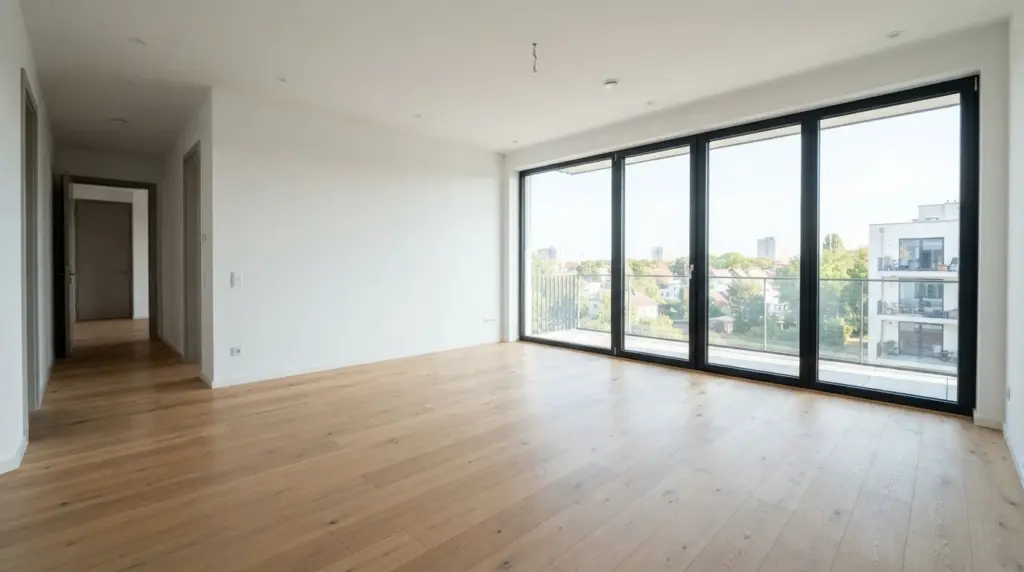
Learning how to furnish empty rooms virtually allows real estate professionals to transform cold, vacant properties into warm spaces that attract buyers. ProVirtualStage provides fast virtual and manual staging services for the real estate industry, enabling agents to stage listings quickly. Understanding the digital staging workflow helps agents present properties effectively while saving time.
How do you start virtual staging for empty rooms?
Starting the virtual staging process requires registering an account at lite.provirtualstage.com and selecting either self-service AI generation or professional human design. ProVirtualStage offers pre-paid credit packages for DIY users, where credits never expire and provide multiple generations per uploaded photo. For high-volume agents exploring the benefits of virtual staging for real estate agents, digital transformation eliminates delays associated with traditional physical staging.
How can you remove existing seller furniture for free?
Removing existing seller furniture or clutter is achieved using the free decluttering tool available before adding new decor. ProVirtualStage provides an EMPTY ROOM and CLEAR YARD feature that clears out unwanted items while keeping architectural elements like fireplaces and built-in shelves intact. This tool ensures that rooms filled with existing seller furniture needing decluttering can be prepared for new designs at no extra charge.

What tools ensure precise furniture placement?
Precise furniture placement is managed through advanced marker systems and guided positioning tools that prevent random AI scaling errors. ProVirtualStage utilizes IMMO markers, focus points, and guided placement options so users can dictate exactly where sofas, beds, and tables should sit within the room architecture. This level of control ensures that digital changes maintain realistic proportions and preserve the structural integrity of the property.
- Upload a room photo from a file or camera to the platform.
- Select interior or exterior staging mode and configure room types and design styles.
- Apply optional empty room decluttering to clear out existing items.
- Place IMMO markers or select furniture pieces for automatic or guided placement.
- Review the generated design, refine surfaces or lighting, and download the final image.
What are the cost benefits of digital property presentation?
Digital property presentation offers significant financial advantages compared to physical staging, which often involves expensive logistics and slow turnaround times. ProVirtualStage delivers solutions through flexible credit packs and flat-fee manual design options, helping agents understand how much virtual staging costs for real estate listings compared to traditional alternatives. Detailed breakdowns help professionals allocate marketing budgets efficiently across portfolios.
| Staging Option | Service Type | Key Benefit |
|---|---|---|
| AI Virtual Staging | Self-Service DIY | Generates furnished rooms in seconds using credit packages |
| Manual Staging | Done-For-You Design | Hand-staged by professional human designers with included revisions |
| Decluttering Tool | Free Feature | Removes existing furniture and clutter before adding new decor |
How to get started with professional digital staging
Transforming vacant properties into market-ready listings is fast when utilizing reliable digital staging technology. To explore available credit packages or submit a project for professional human design, visit ProVirtualStage today and improve your real estate marketing presentation.
Frequently Asked Questions
How do you virtually furnish an empty room?
Virtually furnishing an empty room involves uploading a photo of the space to a platform like Pro Virtual Stage, selecting a room type and interior design style, and generating realistic digital furniture in seconds or through human-designed manual staging.
Can you remove existing furniture before virtual staging?
Yes, platforms like Pro Virtual Stage offer a free decluttering feature called EMPTY ROOM or CLEAR YARD that removes existing furniture and clutter from interior photos or yards before adding new digital furniture.
What is the difference between AI and manual virtual staging?
AI virtual staging uses automated technology to generate furnished rooms in seconds starting from credit packages, while manual virtual staging is hand-designed by human designers for specific projects.
How much does virtual staging cost?
Virtual staging costs vary depending on the service model, with AI credit packages starting at affordable rates per generation and manual professional staging available at fixed per-image pricing.
